
FREE CHECKLIST
The AI store builder checklist
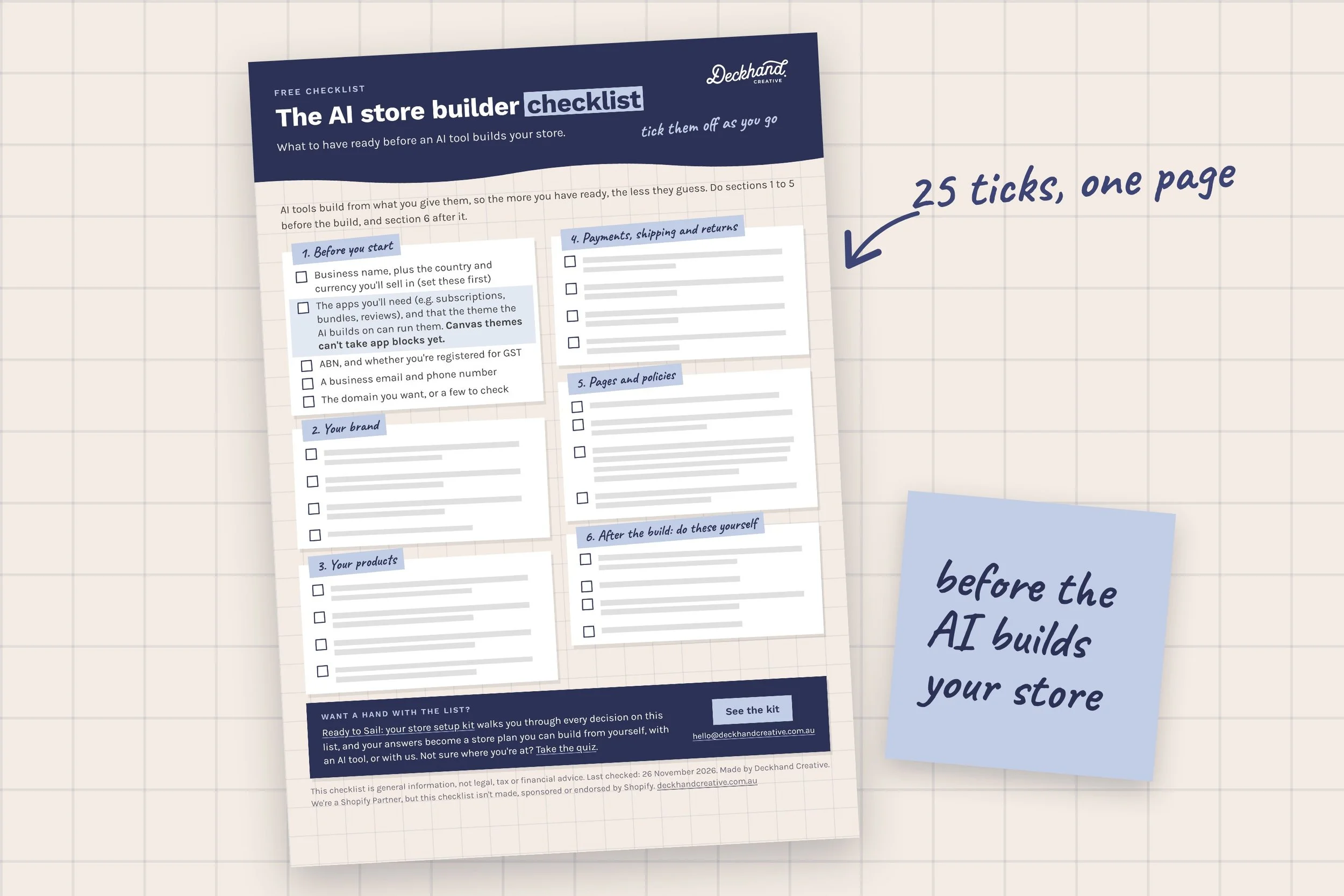
AI store builders can set up your products, pages and design in minutes. They build from what you give them, and you still set up payments, GST and your domain yourself. This one-page checklist covers what to gather and decide first, including the Australian decisions, so the AI isn't left to guess.
Free · One-page PDF to tick on screen or print · 25 things to have ready · Written for Australian stores
What AI store builders do, and what they don't
Shopify's AI store builder asks you to describe your business in a few words, then creates a store design you can change in the editor. Sidekick, Shopify's AI assistant, can build and change a store by chat through Canvas (in early access), and ChatGPT and Claude can connect to Shopify and create a store for you.
When we tested an AI store builder with a sample store plan, it set up the products, collections, pages and menus well. It left the policies, payments, shipping and GST to us, and it built on a theme that can't take app blocks yet, so we made this list of what to sort out first.
What AI tools can do from your answers:
Add your products, prices and options
Create collections, pages and menus
Set your brand colours and fonts
Write first drafts of your page text
Add the shipping rates you've decided
What you still need to do or decide:
Check the theme can run the apps you need
Set up payments, GST and your domain
Decide your shipping rates and returns
Check your policies against Australian Consumer Law
Add your logo and photos, and check every fact
Some AI tools build on Canvas themes, which can't take app blocks yet, so check before the build, not after. Shopify's help page for its Claude connector calls the store it makes 'a starting point rather than a finished store'.
Last checked: 26 November 2026, against Shopify's help pages and our own test builds.
What's on the checklist
Before you start
Business details and GST, plus the apps your theme needs to run.
Your brand
Logo files, colours, fonts and the feel you're after.
Pages and policies
Your About page, FAQs, menus and store policies.
Your products
Prices, options, weights, photos, descriptions and collections.
After the build
What to set up and check yourself before you launch.
Payments, shipping and returns
The decisions only you can make.
We're Deckhand Creative, a web studio in Sydney's Inner West. We've been building online stores for small businesses since 2017. How long a store takes has always depended on how prepared the owner is, and AI tools don't change that. They make the building faster, so the gathering and deciding is now most of the work.
FAQs
-
No. It works for any AI tool that builds a store for you, including Sidekick, ChatGPT or Claude connected to Shopify, and AI store builder apps. We wrote it for Shopify stores, so the admin steps use Shopify's names.
-
It can fill gaps with guesses, but it can't know your prices, shipping costs, returns rules or GST status. In our own test builds, the AI chose the menu items because we hadn't listed them, and made up an extra colour for a theme setting we hadn't covered.
-
Yes. It covers ABNs, GST and Australian Consumer Law. Most of the list works anywhere, but the tax and returns points are written for Australia.
-
The checklist is one page that tells you what to have ready. Ready to Sail is our paid, self-paced kit that walks you through gathering and deciding each item, with a workbook that turns your answers into a store plan.
-
We'll email you the checklist straight away, then a few short emails over the next ten days about getting your store ready. You can unsubscribe any time.
Get the free checklist
Want a hand with the whole list? Ready to Sail: your store setup kit walks you through every decision on this checklist, and your answers become a store plan you can build from yourself, with an AI tool, or with us.
Not sure where you're at? Take the quiz and we'll point you to the best next step.
This checklist is general information, not legal, tax or financial advice. Made by Deckhand Creative. We're a Shopify Partner, but this checklist isn't made, sponsored or endorsed by Shopify.